

Managing employee attendance accurately has become a critical challenge for businesses of all sizes. Traditional methods like manual registers and punch cards are prone to errors, time theft, and administrative headaches. Modern technology offers a better solution through biometric systems that verify employees based on unique physical characteristics.
Selecting the right biometric attendance system requires careful consideration of your business needs, budget, and workforce structure. This guide will walk you through everything you need to know to make an informed decision. You’ll discover the different types of systems available, key features to look for, and how to evaluate options based on your specific requirements.
Understanding Biometric Attendance Technology
Biometric systems identify individuals using unique physical or behavioral traits. These characteristics are nearly impossible to fake or share, making them far more reliable than traditional ID cards or passwords. The technology scans and stores specific data points from each employee, then matches these against stored records when they clock in or out.
The main advantage of biometric verification is its accuracy. Employees cannot punch in for absent colleagues, a practice known as buddy punching that costs businesses billions annually. Moreover, biometric data creates an indisputable record of who was present and when they arrived.
Different biometric technologies exist, each with its own strengths and limitations. Understanding these differences helps you choose a system that aligns with your workplace environment and employee preferences. Some technologies work better in certain industries or conditions than others.
Types of Biometric Systems Available
Fingerprint recognition remains the most common biometric technology for attendance tracking. These systems scan the unique patterns of ridges and valleys on fingertips. They’re relatively affordable, fast, and easy to use. However, they may struggle with dirty or damaged fingers, which can be an issue in manufacturing or construction environments.
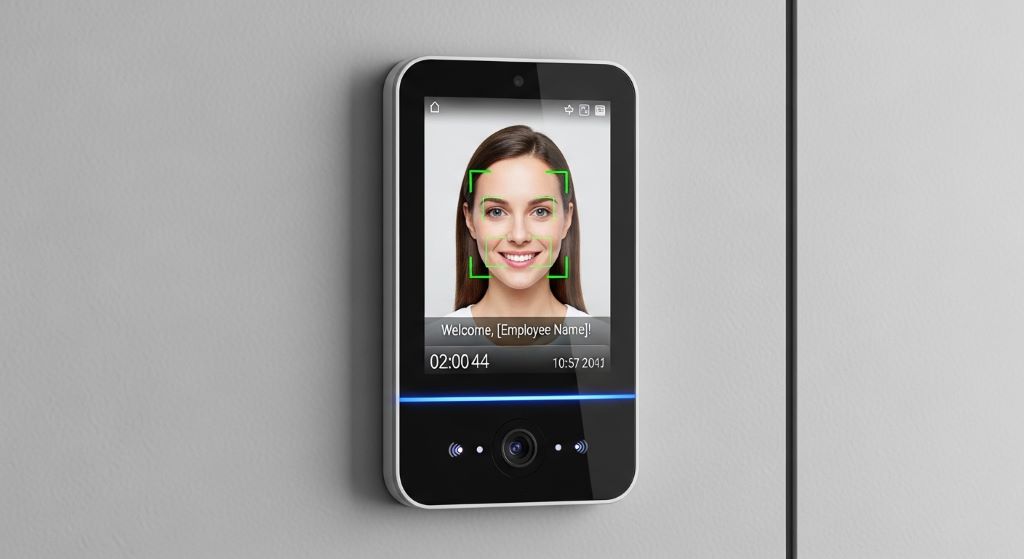
Facial recognition technology has gained popularity recently. These systems use cameras to map facial features and match them against stored profiles. They offer contactless operation, which became particularly valuable during health concerns about shared surfaces. Additionally, facial recognition works well for employees who wear gloves or have jobs that affect their fingerprints.
Iris scanning provides extremely high accuracy by analyzing the unique patterns in the colored ring around the pupil. This technology is virtually impossible to fool and works reliably across different conditions. Nevertheless, iris scanners are typically more expensive and may feel invasive to some employees.
Palm vein recognition scans the pattern of veins beneath the skin of your palm. This internal characteristic cannot be copied or damaged by external factors. The technology is highly secure and hygienic since it works without contact. Palm scanners generally cost more than fingerprint systems but less than iris scanners.
Voice recognition analyzes unique vocal characteristics to verify identity. While less common for attendance systems, it can work well in hands-free environments. However, background noise, illness, or voice changes can affect accuracy.
Essential Features to Consider
Integration capabilities should be at the top of your checklist. Your office attendance solution needs to work seamlessly with existing payroll, HR, and workforce management systems. Look for systems that offer APIs or direct integration with popular software platforms. This compatibility eliminates double data entry and reduces administrative workload.
Cloud connectivity has become increasingly important for modern businesses. Cloud-based systems allow managers to access attendance data from anywhere, facilitate remote workforce management, and automatically backup information. However, ensure the provider offers robust security measures to protect sensitive biometric data.
Reporting and analytics features help you extract valuable insights from attendance data. Good systems generate customizable reports on tardiness, overtime, leave patterns, and department-wise attendance. These insights support better workforce planning and policy decisions.
Multi-location support matters if your business operates across several sites. Choose systems that can synchronize data across locations and provide centralized reporting. This feature becomes essential as your business grows or if you already have multiple branches.
Scalability determines whether the system can grow with your business. Consider not just your current employee count but projected growth over the next few years. Some systems charge per user, while others have capacity limits that require hardware upgrades.
Evaluating Accuracy and Speed
Accuracy is non-negotiable in any smart attendance device. False rejections frustrate employees and slow down the clocking process, while false acceptances compromise security. Look for systems with error rates below one percent for both false acceptance and false rejection.
Processing speed affects daily operations more than many businesses realize. If your workforce arrives at similar times, a slow system creates bottlenecks at entry points. Ideally, verification should take less than two seconds per person. Test the system during a demo with multiple consecutive scans to simulate real-world conditions.
Environmental factors influence performance. Consider where you’ll place the devices and what conditions they’ll face. Some fingerprint scanners struggle with extreme temperatures, moisture, or dust. Facial recognition systems need adequate lighting. Ensure the technology you choose can handle your specific environment.
Security and Privacy Considerations
Data protection is paramount when handling biometric information. Unlike passwords, you cannot change your fingerprints or facial features if they’re compromised. Therefore, choose systems that encrypt biometric data both during transmission and storage. Verify that the provider complies with relevant privacy regulations in your region.
Access controls determine who can view and manage attendance data. The system should offer role-based permissions, allowing you to restrict access appropriately. HR managers might need full access while department supervisors only see their team’s data.
Audit trails track who accesses the system and what changes they make. This transparency helps identify unauthorized access and maintains accountability. Quality systems automatically log all administrative actions and data modifications.
Employee consent and transparency build trust. Clearly communicate why you’re implementing biometric tracking and how you’ll protect their data. Many regions require explicit consent before collecting biometric information. Check local labor laws and privacy regulations before deployment.
Installation and Maintenance Requirements
Hardware placement requires strategic planning. Devices should be accessible to all employees but protected from vandalism and weather. Consider traffic flow patterns to avoid congestion during peak times. Multiple devices may be necessary for larger workforces or facilities with several entry points.
Power and connectivity needs vary by system. Some devices require hardwired network connections while others work wirelessly. Battery backup capabilities ensure the system continues functioning during power outages. Evaluate your facility’s infrastructure and any necessary upgrades.
Maintenance demands differ significantly across technologies. Fingerprint scanners need regular cleaning to maintain accuracy. Cameras require occasional lens cleaning and lighting adjustments. Understand the ongoing maintenance requirements and whether you’ll handle them internally or need vendor support.
Technical support availability can make or break your experience. Problems with attendance systems need quick resolution to avoid disrupting operations. Verify what support the vendor offers, including response times, support hours, and whether assistance is included or costs extra.
Cost Considerations and ROI
Initial investment includes hardware, software licenses, and installation costs. Prices vary dramatically based on technology type, features, and number of devices needed. Fingerprint systems might cost a few hundred dollars per device, while iris scanners can run several thousand. Don’t forget to budget for any necessary infrastructure upgrades.
Ongoing costs include software subscriptions, maintenance contracts, and potential upgrade fees. Cloud-based systems typically charge monthly or annual fees per user. Calculate the total cost of ownership over three to five years rather than focusing solely on upfront prices.
Return on investment comes from multiple sources. Eliminating buddy punching and time theft directly reduces payroll costs. Automated data collection saves administrative time previously spent on manual entry and error correction. Accurate attendance records also support better workforce planning and scheduling.
Hidden savings often go unnoticed. Reduced disputes over attendance records save HR time and improve employee relations. Faster clocking processes minimize congestion and lost productive time. Better data enables more informed decisions about staffing levels and shift scheduling.
User Experience and Adoption
Ease of use determines how quickly employees adapt to the new system. The clocking process should be intuitive enough that employees succeed on their first attempt without training. Complicated systems lead to frustration, longer queues, and resistance to adoption.
Employee concerns often center on privacy and hygiene. Address these proactively through clear communication about data protection measures. For shared surfaces, provide hand sanitizer nearby or consider contactless options. Some employees may have religious or cultural concerns about certain biometric methods.
Accessibility accommodations ensure all employees can use the system. Consider how the technology works for people with disabilities, injuries, or age-related changes. Provide alternative verification methods when biometric reading fails for legitimate reasons.
Training requirements should be minimal for employees but comprehensive for administrators. While most systems are user-friendly for clocking in, managers need thorough training on reporting, troubleshooting, and system administration. Verify that the vendor provides adequate training resources.
Vendor Selection Criteria
Company reputation and track record matter significantly. Research how long the vendor has been in business and their experience in your industry. Read reviews from other businesses similar to yours. A vendor’s stability affects long-term support and system updates.
Customization options allow you to tailor the system to your specific needs. Can you modify work rules, overtime calculations, or reporting formats? Flexibility becomes important as your business processes evolve. However, balance customization capabilities with ease of use.
Future-proofing ensures your investment remains valuable as technology evolves. Ask about the vendor’s product roadmap and update frequency. Systems that receive regular updates with new features and security patches offer better long-term value than static solutions.
Contract terms deserve careful review. Understand what happens if you want to switch vendors or discontinue service. Can you export your data? Are there long-term commitments or cancellation penalties? Read the fine print before signing.
Making Your Final Decision
Create a comparison matrix listing your requirements and how each system performs against them. Weight factors based on their importance to your business. This structured approach helps you move beyond sales pitches to objective evaluation.
Request demonstrations with real-world scenarios. Have the vendor show you how the system handles shift changes, overtime, multiple locations, or whatever matters most to your operations. Try to test the system yourself rather than just watching a presentation.
Pilot programs reduce implementation risk. If possible, deploy the system in one department or location before rolling it out company-wide. This approach lets you identify issues and refine processes on a smaller scale.
Implementation planning requires coordination across departments. IT handles technical setup, HR manages employee communication and enrollment, and facilities determine device placement. Start planning early and assign clear responsibilities.
Conclusion
Choosing the best biometric attendance system involves balancing technology capabilities, business requirements, and budget constraints. Understanding the different types of systems available helps you select technology appropriate for your environment and workforce. Essential features like integration capabilities, accuracy, and security protect your investment and ensure the system delivers value.
Consider both immediate needs and future growth when evaluating options. A smart attendance device should scale with your business while maintaining performance and reliability. Pay attention to total cost of ownership rather than just upfront prices, factoring in ongoing fees and maintenance requirements.
Employee acceptance plays a crucial role in successful implementation. Choose user-friendly systems and address privacy concerns proactively through clear communication. The right office attendance solution eliminates time theft, reduces administrative burden, and provides accurate data for workforce management decisions.
Take time to research vendors, request demonstrations, and if possible, run pilot programs before full deployment. This careful approach ensures you select a system that truly meets your business needs and delivers lasting value through improved attendance tracking and workforce management.
Frequently Asked Questions
How secure is biometric data in attendance systems?
Biometric data security depends on the system’s encryption methods and storage practices. Reputable systems encrypt biometric templates, making them useless even if accessed by unauthorized parties. The original biometric image is typically not stored, only a mathematical representation. Choose vendors that comply with data protection regulations and offer features like encrypted transmission, secure storage, and access controls. Additionally, verify that the system includes audit trails to track who accesses the data.
Can employees refuse to use biometric attendance systems?
Legal requirements vary by location. Some regions require explicit employee consent before collecting biometric data, while others allow employers to mandate participation as a condition of employment. However, best practice involves providing alternative methods for employees with legitimate concerns or physical limitations. Consult with legal counsel familiar with labor laws in your jurisdiction to ensure compliance and maintain positive employee relations.
What happens if the system fails to recognize an employee?
Quality systems include fallback options for failed recognition attempts. This might include manual entry by a supervisor, PIN code backup, or RFID card verification. Most systems also allow administrators to adjust sensitivity settings to reduce false rejections. Regular maintenance and proper enrollment procedures minimize recognition failures. Employees should report persistent issues so administrators can re-enroll their biometric data if necessary.
How long does it take to implement a biometric attendance system?
Implementation timelines vary based on company size and system complexity. Small businesses with single locations might complete setup within a week, including device installation and employee enrollment. Larger organizations with multiple sites may need several weeks to months. Factor in time for infrastructure preparation, employee communication, enrollment sessions, integration with existing systems, and training. Proper planning and vendor support significantly affect implementation speed.
Do biometric systems work for remote or field employees?
Traditional biometric devices require physical presence, making them unsuitable for remote workers. However, some modern systems offer mobile apps with facial recognition or GPS verification for field employees. These solutions verify identity and location when employees clock in from smartphones. For fully remote workers, consider hybrid approaches that combine biometrics for office attendance with different verification methods for remote work, all managed through integrated software platforms.
Related Topics:
How to Choose a Foldable Projector Stand for Easy Storage
How to Use a Portable Label Maker for Easy Home Organization
