
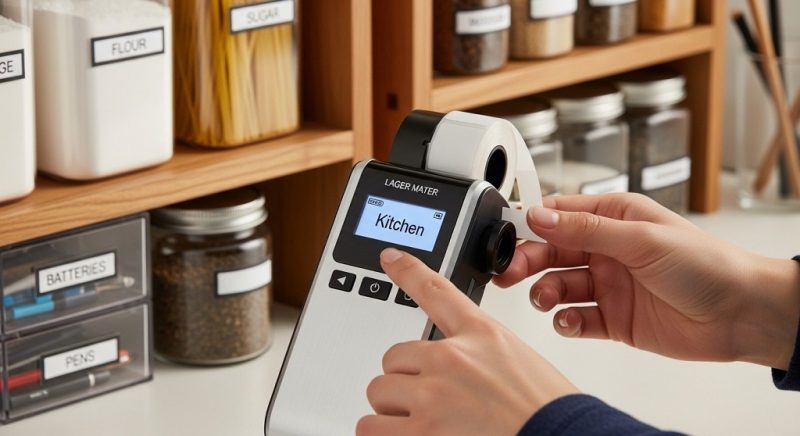
A portable label maker is a compact label printer designed to create clear, durable labels for organizing spaces at home or work. Most models are handheld label makers that print adhesive labels instantly, helping you categorize storage boxes, kitchen containers, cables, files, and more.
Clutter builds slowly. One drawer becomes messy. Then a shelf. Then an entire room. According to a 2023 home organization survey by the National Association of Productivity & Organizing Professionals (NAPO), 54% of Americans report feeling overwhelmed by clutter, and 78% say they don’t know where to start.
This is the problem. You waste time searching for items. You buy duplicates. You feel frustrated in your own space.
The solution is simple: labeling.
A handheld label maker creates instant structure. It turns chaos into a system. And the best part? You do not need a renovation or expensive storage overhaul. A compact label printer and a plan are enough.
This guide shows you exactly how to use a portable label maker for easy home organization. Step-by-step. Practical. Realistic. No fluff.
How Does a Portable Label Maker Work?
Short answer: A handheld label maker prints text onto adhesive label tape using thermal or ink-based technology, then dispenses it for cutting and sticking.
Understanding the Basics
Most compact label printers use thermal printing technology. That means no ink cartridges. Instead, heat activates the label tape to create text. This reduces maintenance and long-term costs.
- Insert label tape cassette
- Type text using built-in keyboard or mobile app
- Preview on screen
- Press print
- Cut and apply
Some advanced models connect via Bluetooth. These allow you to design labels using templates, barcodes, icons, and multiple fonts.
Why Thermal Printing Matters
Thermal labels are:
- Smudge-resistant
- Water-resistant (depending on tape type)
- Long-lasting
- Low maintenance
This makes a portable label maker ideal for kitchens, bathrooms, garages, and storage areas.
Why Should You Use a Handheld Label Maker for Home Organization?
Short answer: Because labeling reduces clutter, saves time, and creates consistent systems that are easy to maintain.
The Problem: Disorganization Costs Time
A UCLA study on family life found that cluttered homes are linked to higher stress levels. Disorganization increases cognitive load. Your brain works harder when visual chaos exists.
And there is a financial impact too. According to a report by Pixie (a tracking app company), Americans waste nearly $2.7 billion annually replacing lost items.
The Agitation: Small Messes Multiply
Unlabeled containers lead to:
- Expired pantry goods
- Mixed cables and chargers
- Lost documents
- Duplicate purchases
- Time wasted searching
The Solution: Clear Labels Create Clear Systems
Using a compact label printer transforms your space into zones:
- Kitchen zones (spices, grains, snacks)
- Office zones (tax files, invoices, contracts)
- Garage zones (tools, seasonal decor)
- Kids’ storage bins (toys, crafts, school supplies)
When everything has a name, everything has a place.
How Do You Set Up a Compact Label Printer for the First Time?
Short answer: Install batteries or charge the device, insert label tape, power on, adjust settings, and run a test print.
Step-by-Step Setup Guide
1. Insert Power Source
Most handheld label makers use AA or AAA batteries. Some models are rechargeable via USB-C.
2. Install Label Tape Cartridge
Open the cassette compartment. Place the tape correctly aligned with the feed slot. Close securely.
3. Adjust Basic Settings
- Font size
- Label width
- Margins
- Language
- Date/time format
4. Print a Test Label
This ensures alignment is correct and the tape feeds properly.
Tip: Always check margin settings. Large margins waste tape.
How Can You Use a Portable Label Maker in the Kitchen?
Short answer: Label pantry containers, spice jars, refrigerator bins, freezer bags, and expiration dates.
Pantry Organization Strategy
| Item | Label Example | Why It Helps |
|---|---|---|
| Flour Container | All-Purpose Flour | Prevents mix-ups |
| Spice Jar | Turmeric | Quick identification |
| Freezer Bag | Chicken – 12 Feb | Tracks freshness |
| Snack Bin | Kids Snacks | Reduces daily questions |
Why This Works
Labeling pantry containers improves inventory control. A case study by the Journal of Consumer Research showed visual categorization increases recall accuracy by over 20%.
When food is labeled clearly, you:
- Reduce waste
- Improve meal planning
- Shop more efficiently
How Do You Organize Your Home Office with a Handheld Label Maker?
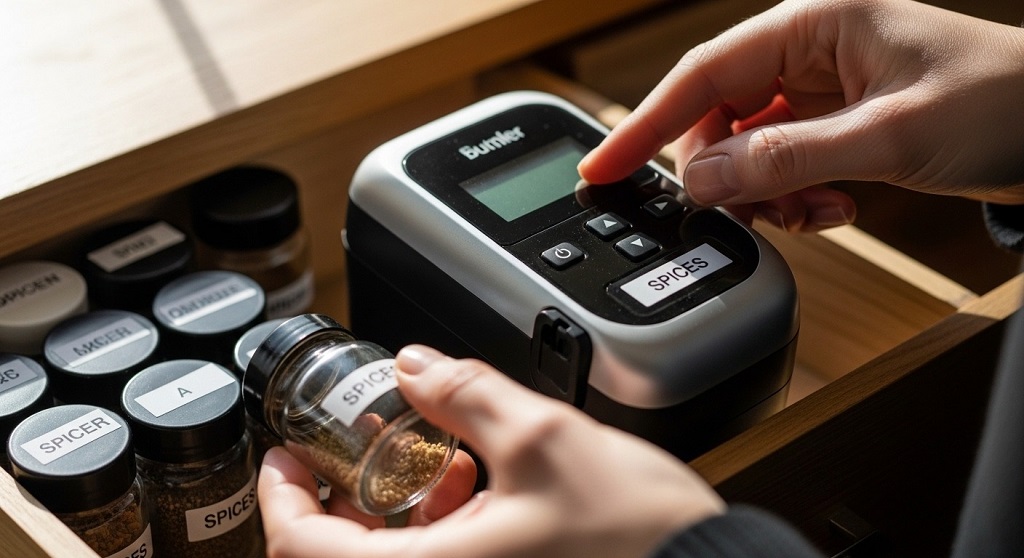
Short answer: Label file folders, document binders, storage drawers, cables, and backup drives.
Document System
- Taxes 2024
- Client Contracts
- Invoices Paid
- Bank Statements
Cable Management
Label each cord near the plug:
- Monitor
- Printer
- Router
- Laptop Charger
According to an IKEA Life at Home report, 32% of people struggle with tangled cables. A compact label printer solves this in minutes.
How Can You Use a Portable Label Maker in Storage Rooms and Garages?
Short answer: Label bins by category and season to eliminate guesswork.
Seasonal Storage Strategy
- Winter Clothes
- Holiday Lights
- Camping Gear
- Sports Equipment
Clear labels on opaque bins prevent the need to open each box. This reduces handling time and keeps systems intact.
Pro Tip
Use larger font size for high shelves. Use laminated tape for humid areas.
What Are the Best Labeling Tips for Long-Term Organization?
Short answer: Keep labels consistent, simple, and readable. Avoid over-labeling.
Best Practices
- Use one font style throughout the house
- Stick to uppercase or sentence case consistently
- Keep wording short
- Avoid decorative symbols unless necessary
- Update labels when contents change
Labeling Mistakes to Avoid
- Printing labels without planning zones first
- Using too many categories
- Skipping expiration dates
- Applying labels to dirty surfaces
Consistency creates habit. Habit creates maintenance.
How Do You Maintain a Compact Label Printer?
Short answer: Keep it clean, store properly, replace batteries on time, and use compatible tape.
- Wipe exterior monthly
- Remove batteries during long storage
- Use manufacturer-approved tape sizes
- Avoid bending tape cassette
Proper care extends device lifespan and prevents print errors.
Conclusion: Ready to Take Control of Your Space?
A portable label maker is not just a gadget. It is a system builder.
Clutter increases stress. Disorganization wastes time. Searching for lost items drains energy.
A handheld label maker gives structure. A compact label printer gives clarity. When every container, folder, and drawer is labeled, decisions become faster. Maintenance becomes easier. Your home works for you instead of against you.
Start small. Label one drawer today. One shelf tomorrow. One room this week.
Consistency wins.
Take action now: Choose one space in your home and label it within the next 24 hours. Small steps create visible results.
Frequently Asked Questions (FAQ)
1. Is a portable label maker worth it for small apartments?
Yes. Small spaces benefit most from labeling because storage is limited. Clear categories prevent overcrowding and duplication.
2. What type of label tape lasts longest?
Laminated thermal tape lasts longer. It resists water, fading, and abrasion. Ideal for kitchens and garages.
3. Can I use a handheld label maker for clothing?
Some models support iron-on fabric tape. Always check compatibility before purchase.
4. How often should I update labels?
Update whenever contents change. For pantry items, review every 3–6 months.
5. Do compact label printers require ink?
Most use thermal printing and do not require ink cartridges.
6. How can labeling improve productivity?
Clear systems reduce search time and decision fatigue. Studies show organized environments improve focus and task efficiency.
Related Topics: How Office Paper Shredders Protect Sensitive Business Documents
What Next: How to Identify Hidden Financial Traps in Your Business
